A PC or piece of hardware may as well be a doorstop without an operating system. In the intricate realm of technology, operating systems serve as the backbone of devices, influencing user experiences and shaping digital interactions. This article explores five main but diverse operating systems: Windows, macOS, Chrome OS, Android, and Linux, each tailored to distinct preferences and needs.
- Windows: The Ubiquitous OS for Every Task
History: Microsoft’s Windows debuted in 1985 with Windows 1.0, introducing a graphical user interface (GUI) for IBM-compatible PCs. Over the years, it evolved through iconic versions like Windows 95, XP, and 7, marking milestones in GUI design and functionality.
Pros:
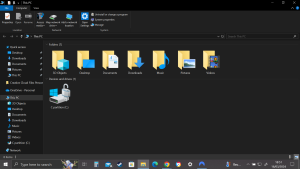
- User-Friendly Interface: Windows provides a user-friendly graphical interface, making it accessible to a broad audience.
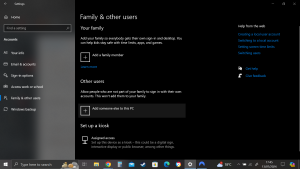
- Software Compatibility: The Windows operating system supports a wide range of third-party software, ensuring compatibility with various applications.
- Gaming Support: Windows is a preferred platform for gaming, with a vast library of games available for PC users.
Cons:
- Security Concerns: Windows is a common target for malware and viruses, necessitating regular security updates.
- Resource Intensive: Some versions of Windows may require significant system resources, impacting performance on lower-end hardware.
- macOS: Seamlessness in Design and Performance
History: macOS, developed by Apple, has its roots in the Macintosh System Software introduced in 1984. Over the years, it transitioned from Mac OS to OS X, with each version refining the user interface and incorporating technological advancements.
Pros:
- Design Aesthetics: macOS is celebrated for its elegant design, consistent user interface, and attention to detail.
- Performance: The operating system is optimized for Apple hardware, resulting in smooth and efficient performance.
- Ecosystem Integration: Seamless integration with other Apple devices, such as iPhones and iPads, enhances the overall user experience.
Cons:
- Limited Hardware Options: macOS is exclusive to Apple hardware, limiting choices for users who prefer a broader range of hardware configurations.
- Software Availability: While macOS supports a robust selection of applications, certain specialized software may be limited compared to Windows.
- Chrome OS: Cloud-Powered Simplicity
History: Google introduced Chrome OS in 2009, envisioning a lightweight, cloud-centric operating system. Initially targeted at netbooks, Chrome OS has evolved to power Chromebooks, emphasizing simplicity, speed, and security.
Pros:
- Speed and Simplicity: Chrome OS boots quickly and provides a streamlined interface, ideal for users seeking straightforward computing.
- Security: The system is designed with automatic updates and sandboxing techniques to ensure a secure environment.
- Cloud Integration: Seamless integration with Google’s suite of applications fosters collaboration and accessibility.
Cons:
- Offline Limitations: Chrome OS may have limitations in offline scenarios, as many applications rely heavily on internet connectivity.
- Software Compatibility: Availability of certain specialized software may be limited compared to other operating systems.
- Android: Versatility in the Palm of Your Hand
History: Originally developed by Android, Inc., Android’s journey began in 2003. Google acquired the company in 2005, leading to the release of the first Android-powered device, the HTC Dream, in 2008. Android has since become the world’s most widely used mobile operating system.
Pros:
- Open Source: Android’s open-source nature allows for customization, making it adaptable to diverse needs.
- App Ecosystem: The Google Play Store offers a vast array of applications, providing users with a wide range of choices.
- Device Variety: Android powers a diverse range of devices, catering to different price points.
Cons:
- Fragmentation: Device manufacturers’ customization can lead to fragmentation, with not all devices running the latest Android version.
- Security Concerns: The open nature of Android can pose security challenges, although Google continually enhances security measures.
- Linux: Power and Flexibility for Tech Enthusiasts

History: Linux’s origins date back to 1991 when Linus Torvalds released the first version of the Linux kernel. Since then, Linux has become a versatile and powerful open-source operating system, serving tech enthusiasts, server administrators, and more.
Pros:
- Open Source: Linux encourages collaboration and customization, allowing users to tailor the system to their specific needs.
- Stability: Known for stability and reliability, Linux is a preferred choice for server environments.
- Diverse Distributions: Various Linux distributions cater to different use cases, providing flexibility.
Cons:
- Learning Curve: Linux can have a steeper learning curve for users unfamiliar with command-line interfaces and system configurations.
- Software Compatibility: While Linux supports many applications, certain proprietary software may not be readily available.
Conclusion:
In the ever-evolving landscape of operating systems, Windows, macOS, Chrome OS, Android, and Linux stand out for their unique features and functionalities. Whether you prioritize familiarity, seamless design, cloud-centric simplicity, device versatility, or customization, these operating systems offer diverse options, shaping the digital experiences of users across the globe.